How to Track Your Police Clearance Certificate Online: Step-by-Step Guide
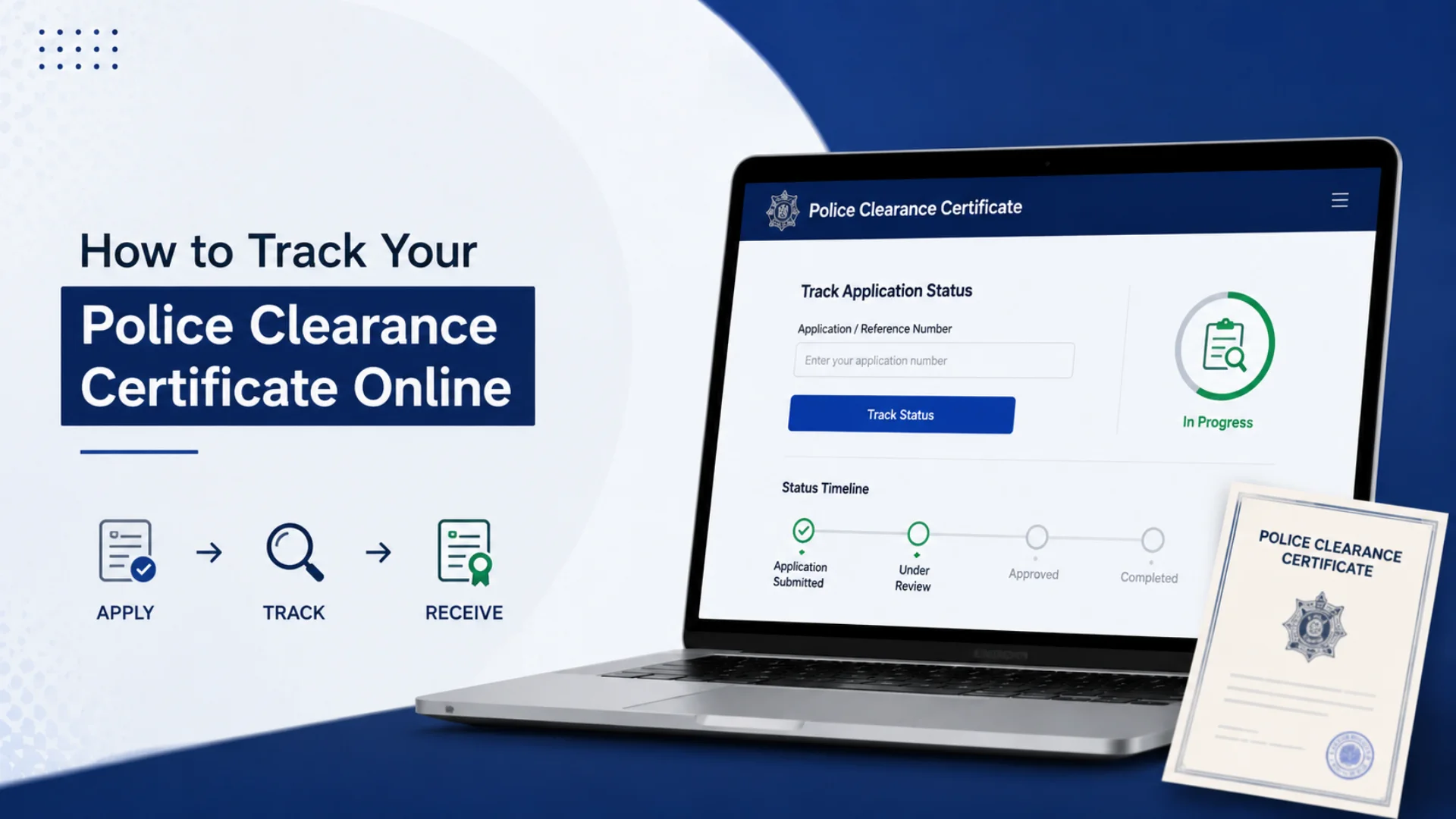
How to Track Your Police Clearance Certificate Online? Getting a Police Clearance Certificate in the Philippines is now easier with online services that allow applicants to monitor their application progress digitally. Tracking your Police Clearance Certificate online helps you stay updated about your application status, appointment details, verification process, and certificate release without unnecessary visits to police stations. This complete guide explains the latest methods to track your Philippine Police Clearance Certificate online, avoid common delays, and successfully receive your official document through a simple and secure process.
Why Online Tracking of Your Police Clearance Matters
Before the NPCS was launched, applicants had no way of knowing the status of their clearance without physically visiting the police station, sometimes multiple times. This led to wasted commutes, missed work hours, and unnecessary anxiety.
- Monitor your application status in real time
- Detect payment issues before your appointment date
- Know in advance if your application has received a “Hit” (which means manual verification is needed)
- Plan your schedule around the actual release of your certificate
- Avoid showing up at the police station only to find your clearance is not yet ready
The online tracking system has significantly reduced the volume of walk-in inquiries at police stations and has improved the overall experience of applicants across all regions of the Philippines.
How to Track Your Police Clearance Certificate Online Process
Follow these steps to track the status of your Philippines police clearance certificate application.
Step 1: Visit the Official NPCS Portal
- Go to the official National Police Clearance System website: https://pnpclearance.ph
This is the only authorized portal for tracking your police clearance status. Be cautious of third-party websites that mimic the official portal; always check the URL carefully.
Step 2: Log In to Your Account
- Click on the “Login” button at the top of the homepage. Enter the email address and password you used when you first registered your NPCS account. Click on “Sign In.”
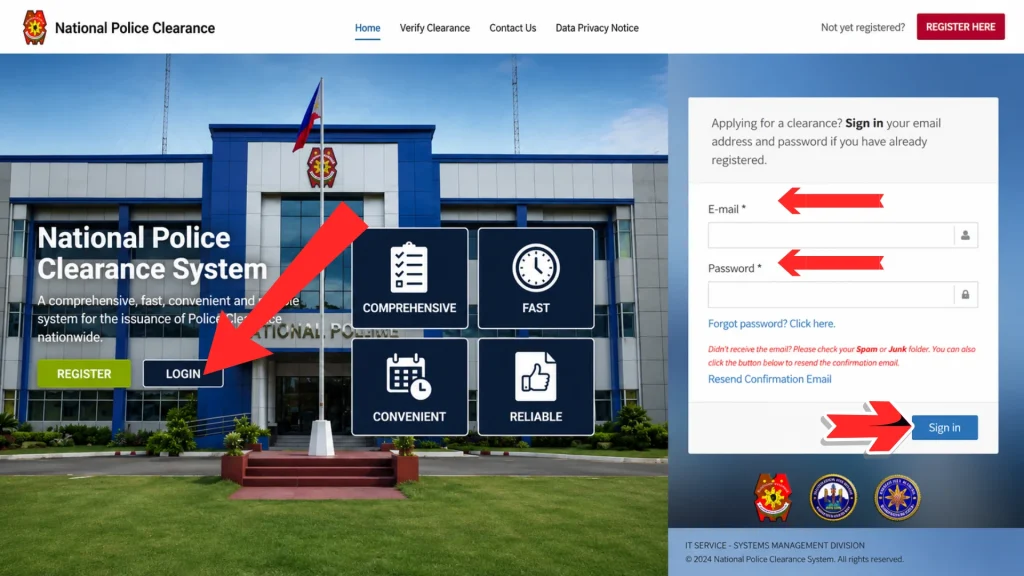
Note: You must use the same account you used to apply. Tracking is not available through a guest session. If you have forgotten your password, use the “Forgot Password” option to reset it via your registered email.
Step 3: Access Your Dashboard
- Once logged in, you will be directed to your personal dashboard. This is the central hub where all your application information is stored.
- Click on the “Transaction History” or “My Applications.” This is where your clearance tracking information is displayed.
Step 4: Enter Your Reference Number
- Carefully enter your reference or transaction number exactly as it appears on your payment receipt, confirmation email, or application record.
Step 5: Check Your Application Status
- Once you enter your reference details, the online portal will display the latest status of your Police Clearance Certificate application. Depending on the stage of processing, you may see updates such as Pending, Under Verification, Ready for Release, or Released.
Understanding Your Philippine Police Clearance Tracking Status
1: Pending Payment
What it means: Your online booking is complete, but the system has not yet confirmed your payment.
What to do: Double-check your payment receipt. If you paid via GCash, Land Bank, or another channel, it may take a few hours for the system to reflect it. Wait 24 hours, then log back in. If it still shows “Pending Payment,” contact your payment provider or email NPCS support with your transaction reference number.
2: Paid / Appointment Confirmed
What it means: Your payment has been received, and your appointment at the selected police station is confirmed.
What to do: Nothing urgent; just prepare for your appointment. Bring the following:
- At least two (2) valid government-issued IDs
- Your Appointment Reference Number (ARN)
- Payment receipt or proof of transaction
3: For Biometrics / Appointment Scheduled
What it means: Your appointment date is approaching, or you are already checked in at the police station for biometric capture (fingerprints, photo, and signature verification).
What to do: Arrive on time. Missing your appointment means your payment will be forfeited and you will need to restart the entire process from the beginning.
4: For Verification (With Hit)
What it means: This is the most important status to understand. A “hit” means the NPCS database has found a potential match between your name and a record in the PNP criminal database. This does NOT automatically mean you have a criminal record.
Common reasons for a “hit” include:
- You share the same name as someone with a criminal record
- There is a typographical error in your name or birthdate in the database
- You have a previously resolved case that was not properly cleared from the system
- A warrant of arrest was issued in error under your name
What to do: A police officer will manually review your case. Depending on the complexity and current workload, this verification process typically takes 5 to 15 working days. You may be asked to return to the station with additional identification documents such as a birth certificate, NBI clearance, or court documents (if applicable).
5: Cleared / Released
What it means: Your clearance has been verified, approved, and is ready for release. If there was no Hit, this may happen on the same day as your biometrics appointment. If there was a Hit that has since been resolved, this status appears once verification is complete.
What to do: You can now claim your physical certificate at the police station where your appointment was made or download a digital copy from your NPCS dashboard if your station offers digital release.
6: Cancelled / Expired
What it means: Your appointment has been cancelled either because you missed it, did not complete payment on time, or the booking expired.
What to do: Start the process again from the beginning. Register, book a new appointment, and pay the fee.
How to Track Police Clearance Certificate Without Account Access
If you are unable to log in to your NPCS account because you forgot your password, no longer have access to your registered email, or your account was created by someone else on your behalf, here are your options you can track your Philippine Police Clearance without the account login.
Option 1: Password Reset
Use the “Forgot Password” feature on the NPCS login page. An email with a reset link will be sent to your registered email address.
Option 2: Email NPCS Support
Send an email to the PNP’s official support channel with the following details:
- Your full legal name (as registered)
- Your date of birth
- Your Appointment Reference Number (if available)
- Your registered email address
Option 3: Visit the Police Station in Person
If all else fails, visit the police station where your appointment was scheduled and present your valid ID and payment receipt. The officer at the desk can check your clearance status manually in the NPCS system.
Benefits of Tracking Your Police Clearance Certificate Online
- Peace of Mind: Knowing whether your application status is “For Verification” or “Released” helps you better plan your job application, travel, or other important requirements.
- Early Problem Detection: If your status shows “Pending Payment” even after you have paid through GCash or another payment channel, you can immediately identify the issue and resolve it before your scheduled visit.
- Avoid Unnecessary Trips: If your application is still under “Hit” or “Verification” status, there is no need to travel to the police station yet. Checking online can save you time, effort, and transportation costs.
Common Problems & Solutions When Tracking Police Clearance Online
Problem 1: Status Has Not Changed After Several Days
Solution: Log out and log back in. Refresh the dashboard. If there is still no update, check whether your payment was successfully processed. Contact your bank or payment provider if needed. If payment is confirmed but status still has not changed, send an email to NPCS support with your ARN.
Problem 2: Payment Made But Still Shows “Pending Payment”
Solution: This is a common technical issue, especially with GCash and LBP payments during peak hours. Wait 24 to 48 hours. If the issue continues, send your payment receipt or transaction screenshot to NPCS support and request a manual update.
Problem 3: Got a “Hit” What Now?
Solution: Do not panic. A hit does not mean you are a criminal; it only means the system found a name that resembles a record in the PNP database. Cooperate with the investigating officer. Bring valid IDs that clearly show your full legal name, date of birth, and address. You may also bring an NBI clearance as supporting proof of your identity.
Problem 4: Clearance Was Released But Has Wrong Information
Solution: If the name, address, or other details on your printed clearance are incorrect (often due to errors during account registration), the PNP will generally not reprint the certificate without a new application. You will need to repeat the entire process with corrected information. Always double-check your personal information before submitting your application.
Problem 5: Missed Your Appointment
Solution: Missed appointments result in forfeited payments. There is no grace period or refund policy for missed NPCS appointments. You will need to create a new appointment and pay again.
Tips for a Smooth Police Clearance Tracking Experience
- Before Your Appointment: Complete your payment at least two days before your appointment date to allow processing time Save your ARN, confirmation email, and payment receipt in a dedicated folder on your phone or email. Double-check all personal information before confirming your application
- During Tracking: Log in to your NPCS account regularly, at least every day or two, once you have submitted your application. Check your registered email inbox (including spam/junk folders) for any notifications from the NPCS Use only the official portal; avoid third-party tracking websites
- After Claiming Your Certificate: Scan or photograph your clearance immediately after receiving it. Store a digital copy in Google Drive, iCloud, or your email Note the exact expiry date (6 months from issuance) and renew before it expires if needed.
Police Clearance Customer Support
If you are unable to access your account or experience issues with tracking your police clearance application, contact the police clearance support team for assistance.
- One-Stop Shop Hotline: (02) 723-0401 local 8815
- (02) 723-0401 loc. 7663
- Mobile Number: +63 927 964 6657
- Email Support: Submit your inquiry through the “Contact Us” form available on the Police Clearance portal.
- Facebook: You may also reach out through the official PNP Facebook pages, which occasionally respond to customer inquiries and support requests.
FAQs About Track Your Police Clearance Certificate Online
Conclusion
Tracking your Police Clearance Certificate online in the Philippines helps you stay updated on your application status, verification progress, and release schedule. Using the official NPCS portal allows you to identify issues early, save time, and avoid unnecessary visits. Regular monitoring ensures a smooth, efficient, and hassle-free clearance application experience.