How to Get a TIN ID in the Philippines 2026 Master Guide
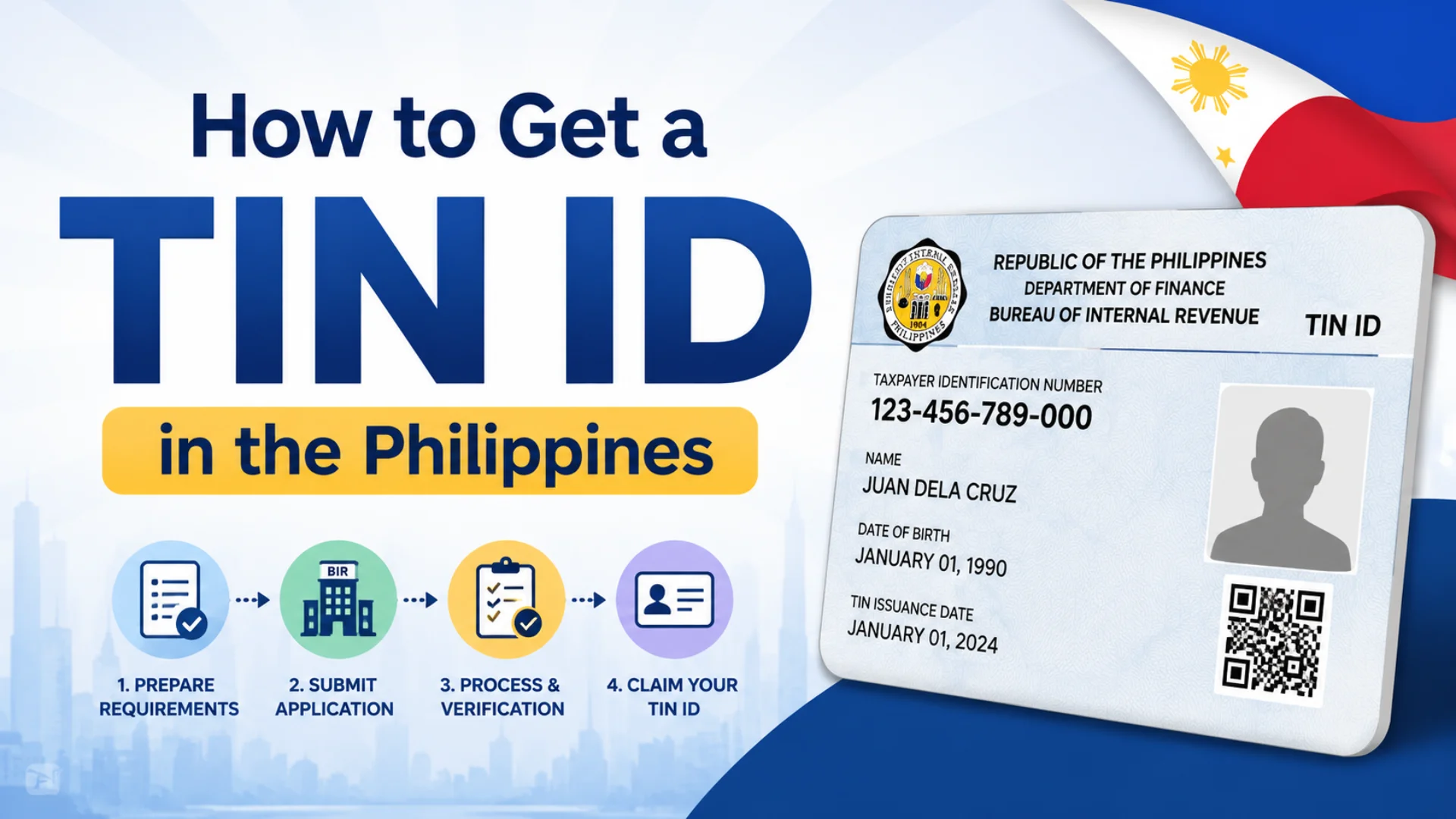
How to Get a TIN ID in the Philippines? Getting your TIN ID in the Philippines is one of those things nobody really prepares you for until the day a bank teller, an HR officer, or a government counter asks for it and you’re standing there empty-handed. It’s a small card with a big reach, quietly required across more official transactions than most people realize.
This guide walks you through everything from requirements and online registration to verification, fees, and the mistakes that trip people up so you can get yours without the runaround.
What is TIN ID?
The TIN Number and the TIN ID are not the same thing, and the confusion between the two causes more problems than it should. The TIN number is the unique 12-digit code assigned to every registered taxpayer in the Philippines by the Bureau of Internal Revenue (BIR) your permanent tax identity. The TIN ID is the actual card (physical or digital) that displays your name, photo, TIN number, and other personal details, functioning as a valid government-issued ID for a wide range of official purposes.
Common uses of the TIN ID include:
- Employment and payroll processing
- Opening bank accounts and applying for loans or credit cards
- Business registration and invoicing
- Filing taxes
- Applying for Police Clearance and NBI Clearance
- Government transactions and scholarship applications
The BIR is the only official office authorized to issue both TINs and TIN IDs no fixer, no third-party processor, no Facebook page.
Types of TIN ID in 2026
| Type | Description | Cost | Best For |
|---|---|---|---|
| Digital TIN ID | Downloadable via ORUS, carries a QR code for verification | Free | Most applicants in 2026 |
| Physical / Laminated Card | Old plastic card issued at BIR offices | Free (₱100 replacement) | Complex cases or walk-in preference |
A BIR memo has officially confirmed that the Digital TIN ID is a valid government ID and must be accepted by all institutions. You do not need the old cardboard version anymore.
Which BIR form applies to you
| Applicant Type | BIR Form |
|---|---|
| Employees (purely compensation income, local and alien) | Form 1902 |
| Self-employed, freelancers, mixed-income individuals, non-resident aliens engaged in trade or business, estates and trusts | Form 1901 |
| Students, unemployed, first-time job seekers, one-time transactions (E.O. 98) | Form 1904 |
TIN ID Registration Requirements
The documents you need depend entirely on your situation.
For Employees
- BIR Form 1902 (stamped by employer)
- One valid government-issued ID
- Marriage certificate (for married women updating civil status)
For Self-Employed / Freelancers / Mixed-Income Individuals
- BIR Form 1901
- Valid ID
- DTI Certificate or SEC Registration
- Mayor’s Permit (proof of business)
For Unemployed / Students / First-Time Job Seekers (EO 98)
- BIR Form 1904
- Valid ID
- PSA birth certificate
- Barangay certificate (may qualify for free processing under RA 11261)
- Community tax certificate (cedula)
- 1×1 photo
- Proof of transaction (e.g., bank document requesting your TIN)
For Foreigners / Non-Resident Aliens
- Passport
- Valid visa or Alien Certificate of Registration (ACR)
Accepted Valid IDs:
PhilID / National ID, Passport, Driver’s License, MySSS Card / UMID, PhilHealth ID, Voter’s ID, NBI Clearance, SSS Card, GSIS Card, Seaman’s Book, Postal ID (issued 2016 onwards), Seafarer’s Record Book
Special Cases:
| Situation | Requirements |
|---|---|
| Lost or damaged TIN ID | Affidavit of Loss + valid ID + BIR Form 1905 |
| Change of address or civil status | BIR Form 1905 + valid ID + supporting documents |
Important for students: Always use Form 1904 not Form 1901. Filing 1901 registers you as self-employed, and years down the line you may discover open cases and penalties for monthly tax returns you never knew you were supposed to file.
How to Apply TIN ID Online via ORUS (Step-by-Step Guide 2026)
For most applicants especially first-time job seekers, students, and E.O. 98 cases the entire process can be completed fully online through the BIR’s Online Registration and Update System (ORUS) at orus.bir.gov.ph.
Step 1: Visit the Official BIR ORUS Portal
Go to https://orus.bir.gov.ph/ on your phone or computer.
Step 2: Create an ORUS Account
- Click “New Registration” → “As an Individual” → Create Account
- Enter your full name, birthdate, email, and mobile number
- Read the User Agreement, click “I Agree,” and select Individual as your taxpayer type
- Verify your email via the link sent by BIR
Step 3: Choose Your Application Type
- Select “Without Existing TIN” if you don’t have one yet
- Choose the correct form (usually BIR Form 1904 for E.O. 98 applicants)
Step 4: Fill Out the Online Form
- Enter your personal details carefully
- Upload a clear photo of your valid ID and a selfie holding your ID
- Double-check your name spelling errors here cause delays
Step 5: Submit and Get Your TIN Number
- Submit the application
- TIN number is usually issued within minutes to a few hours; up to 3–5 working days by email during high-volume periods
Step 6: Generate Your Digital TIN ID
- Go to the “Digital TIN ID” section on your dashboard
- Upload a proper headshot white background, no glasses, no filters
- Click “Generate ID,” then download your eTIN / Digital TIN Card
- Print and laminate it, or save it on your phone
Before laminating: Check that the QR code is clear and scannable. A blurry QR code will get your ID rejected by banks and offices.
Tips for a smooth online application
- Use a stable internet connection
- Prepare clear, well-lit photos in advance
- Always use the official ORUS website — never third-party processors
Walk-in Application at BIR Revenue District Office (RDO)
If your case involves business registration, mixed-income status, or non-resident alien documentation, or if the online system is down, visit your local BIR Revenue District Office (RDO) in person.
Steps for walk-in application:
- Find the correct RDO it must be the one with jurisdiction over your residence or place of business. Use the RDO finder on the BIR website.
- Arrive early to avoid long queues. Bring a pen.
- Carry your printed forms and original documents.
- Proceed to the counter to have your documents checked and validated.
- Submit your application and wait for further instructions.
- On the scheduled release date, bring your official receipt and a valid ID to claim your TIN ID.
Processing time: Typically 1–2 days. Some RDOs may issue the card same-day if card stock is available.
Warning: Do not buy “TIN Assistance” from Facebook pages or stalls near Recto. Those IDs are fake the TIN numbers are often invalid or belong to someone else. Using a fake TIN is a criminal offense.
How to Verify TIN ID (Real vs. Fake)
Since fake IDs are rampant, verifying your TIN’s legitimacy before using it anywhere is non-negotiable.
Method 1: ORUS TIN Verifier
- Go to orus.bir.gov.ph
- Select “TIN Verifier”
- Enter your name, birthdate, and TIN
- If the record appears, the TIN is valid
Method 2: TIN Verifier App / BIR Chatbot (Revie)
- Download the TIN Verifier app if available on your device, or
- Use the BIR website’s Chatbot named Revie, or
- Call the BIR hotline directly for manual verification
Always use official channels never trust third-party verification services.
TIN ID Fees and Validity
| Transaction | Fee |
|---|---|
| First-time TIN registration | Free |
| Digital TIN ID generation | Free |
| Physical card replacement (lost or damaged) | ₱100 |
- The TIN number is valid for your lifetime it never expires and never needs renewal
- The Digital TIN ID also carries no expiry date, but should be updated if your personal details change (address, civil status)
If anyone quotes you ₱500 or more to “process” your TIN ID, walk away. The BIR charges nothing for first issuance.
Lost TIN ID Requirements (How to Replace)
To replace a lost or damaged physical TIN ID card:
- Notarized Affidavit of Loss explaining the circumstances of the loss
- BIR Form 1905 marked “Replacement of Lost TIN Card”
- Any valid ID for identity verification
- ₱100 payment at your RDO counter
Submit everything to the RDO with jurisdiction over your registration.
Faster alternative: Log into your ORUS account, go to the Digital TIN ID section, verify your details, and download a new copy completely free and legally valid. Most banks and offices accept the printed digital copy without question.
Common TIN Application Mistakes to Avoid
Applying for a Taxpayer Identification Number (TIN) may seem straightforward, but many applicants experience delays or rejections because of simple and avoidable mistakes. Understanding these common errors can save time and prevent unnecessary complications during the application process.
1. Providing Incorrect Personal Information
One of the most frequent mistakes is entering inaccurate details such as misspelled names, incorrect birth dates, or wrong addresses. Always ensure that the information on your application matches your official identification documents exactly.
2. Applying for Multiple TINs
A TIN is issued only once to each taxpayer. Some individuals unknowingly apply for a new TIN because they have lost their old records or changed jobs. Possessing multiple TINs can lead to penalties and administrative issues. If you already have a TIN, request verification instead of submitting a new application.
3. Submitting Incomplete Documents
Missing identification cards, proof of address, employment documents, or business registration papers can result in processing delays. Review the requirements carefully before filing your application.
4. Choosing the Wrong Taxpayer Category
Employees, self-employed individuals, freelancers, businesses, and non-residents may have different . Selecting the wrong category can cause your application to be rejected or require corrections later.
5. Using Outdated Forms
Tax authorities periodically update application forms and procedures. Using an old form downloaded from an unofficial source can delay processing. Always obtain forms from the official government website or authorized offices.
6. Ignoring Application Instructions
Many applicants skip important instructions regarding signatures, supporting documents, or submission procedures. Reading the guidelines thoroughly before applying can prevent avoidable errors.
7. Failing to Keep Copies of Submitted Documents
After submitting your application, retain copies of all forms, receipts, and supporting documents. These records can be useful if verification or follow-up is required.
TIN ID and Other Government IDs: Key Differences Explained
| Identification Document | Main Purpose | Accepted for Police Clearance? | Digital Version Available? |
|---|---|---|---|
| PhilID / National ID | Official ID for government and private transactions | Yes | Yes |
| Passport | International travel and identity verification | Yes | No |
| TIN ID | Tax filing, banking, and employment requirements | Yes (typically as a secondary ID) | Yes |
| Driver’s License | Driving authorization and general identification | Yes | No |
| Police Clearance | Verification of local criminal record status | Not Applicable | Available in some locations |
| MySSS Card / UMID | Access to SSS benefits and identity authentication | Yes | Partially Available |
The TIN ID works best as a secondary ID alongside a stronger primary ID like a Passport or PhilID. That said, it is accepted as a valid supporting ID for National Police Clearance applications and most other government processes in 2026.
Frequently Asked Questions About TIN ID
Conclusion
A TIN ID may seem like a simple document, but it plays a vital role in employment, banking, taxation, and many government transactions in the Philippines. By following the correct application process, preparing the required documents, and avoiding common mistakes, you can obtain and use your TIN ID smoothly, securely, and without unnecessary delays.