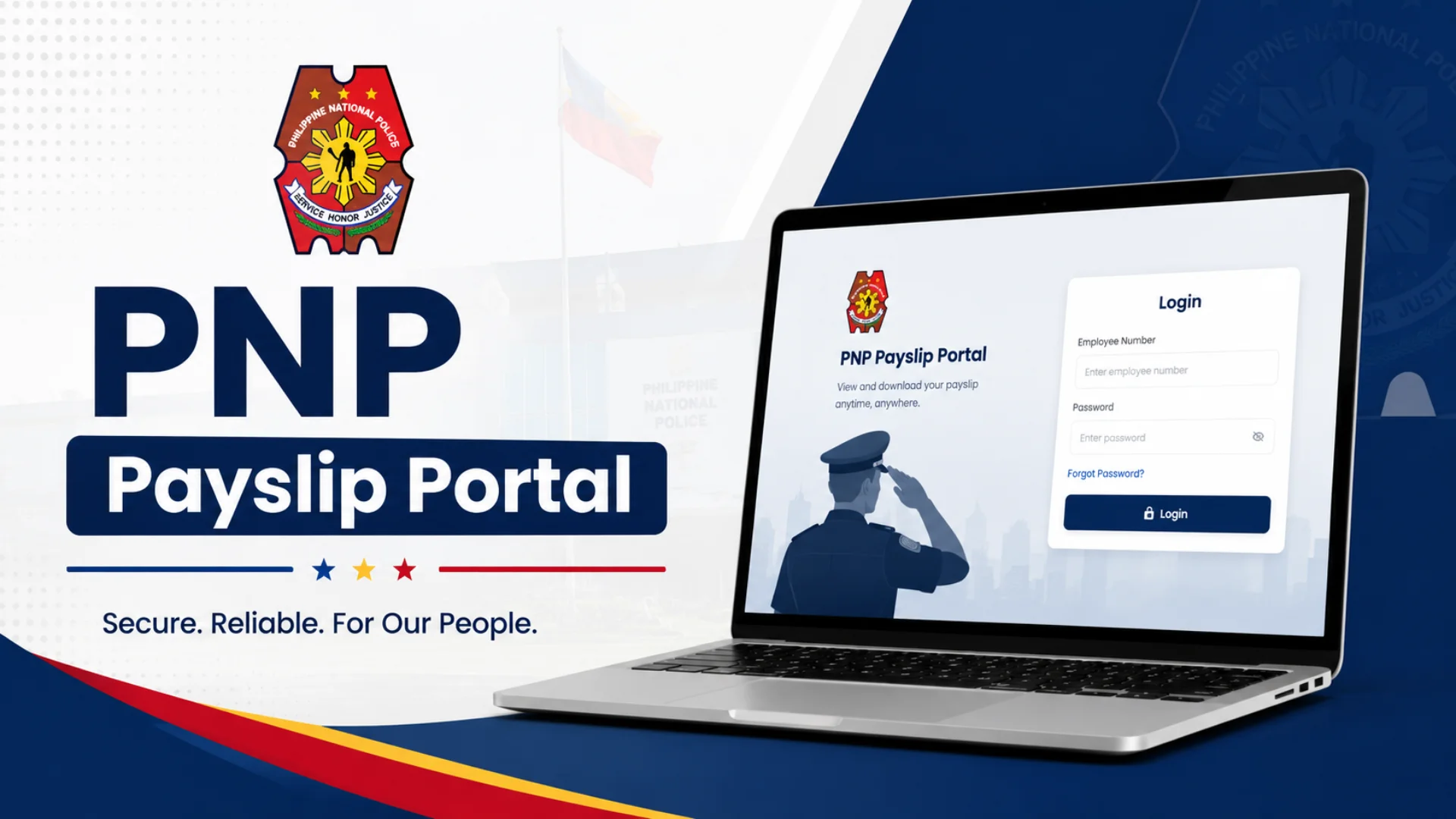
PNP Payslip Portal 2026 Login, Registration & Online Salary Slip Access | Philippine National Police Payslip Guide
Managing your salary details as a police officer used to mean paperwork, queues, and depending on someone else’s schedule. The Philippine National Police changed that by building a fully digital system that puts every officer in control of their own financial records from any device, at any time.
This guide walks you through everything the PNP online payslip system offers: how to register, log in, read your payslip, secure your account, and fix the most common issues all in one place.
PNP Payslip Portal 2026 – Access Your PNP Payslip Online
Salary day used to mean paperwork. Now it means a few clicks.
The PNP e-payslip portal operates as a fully digital platform where PNP personnel can pull up their monthly earnings, check every line of their deductions, and confirm their net pay all without stepping into an office. Whether you’re mid-deployment or sitting at home, as long as you have an internet connection, your PNP salary slip is right there.
What makes this system genuinely useful is how it handles clarity. Here’s what you’ll find inside every digital payslip:
| Section | What It Shows |
|---|---|
| Gross Pay | Basic Pay + Subsistence + Hazard Pay |
| Deductions | PhilHealth, Pag-IBIG, GSIS/SSS, Withholding Taxes, Loan Repayments |
| Net Pay | Final take-home amount after all deductions |
The shift to this secure login system also brought something less obvious but equally important: reliability. The e-payslip download service means you’re not dependent on office hours, a printer, or someone remembering to hand you your copy. Your 2026 salary data is stored, accessible, and downloadable whenever you need it even for something as routine as using your net pay calculator to plan the month ahead.
What is a PNP Payslip?
At its core, a PNP payslip is your official financial record as a member of the Philippine National Police. It tells you, in plain numbers, what you earned, what was taken out, and what actually lands in your account for a specific pay period.
Here’s a quick breakdown of what’s inside:
| Component | Details |
|---|---|
| Earnings | Basic salary, allowances, bonuses |
| Mandatory Contributions | GSIS, Pag-IBIG, PhilHealth, taxes, authorized deductions |
| Final Net Pay | What remains after all deductions |
Beyond payday, this document carries real weight. Banks and lending institutions treat your latest PNP online payslip as proof of income. If you’re ever applying for a loan or disputing a salary discrepancy, this is the document you reach for. It’s not just a salary details summary it functions as a legal document that reflects your financial standing within the force.
The move to online payslip access changed how officers interact with this information. Instead of waiting on a printed copy, you can track earnings, review changes, and manage personal finances accurately through the PNP payslip online system conveniently and on your own schedule.
PNP Payslip Online Registration: Step-by-Step Guide 2026
First-time access starts with registration, and it’s simpler than most people expect. Before anything else, make sure you have these ready:
- Badge Number (your Police ID Number)
- Birth Date exactly as it appears in your 201 file
- Payee Number from your ATM Card or a previous physical payslip
- An active personal email address preferably Gmail or Yahoo rather than a designated office email, especially if you might transfer units
- A strong password combining letters, numbers, and special characters like ! @ # $ something like Pulis@2026!
Steps to register:
- Head to https://payslip.pnppms.org from your phone or computer
- Click “Register” or “Sign Up” usually right below the login box
- Fill in your Account Number, Birth Date, Email Address, and create your password
- Click Submit the system runs a verification check against the PNP database
- Open your email inbox, click the activation link in the confirmation email
- Once activated, your account is live and you can log in anytime
⚠️ If you see “Record Not Found”, don’t create a second account. This is common for new recruits whose data hasn’t been encoded yet. Contact your unit’s Admin Officer to verify your 201 file it cannot be fixed online.
Once registered, here’s how to access your payslip:
- Log in using your PNP ID Number and password
- Navigate to Payslip or E-Payslip on the dashboard menu
- Pick the month or specific pay period from the dropdown list
- Click “View Payslip” your digital salary statement opens immediately
- View or download it for safekeeping and personal record management
PNP Payslip Format
Open your payslip and you’ll notice it’s structured in layers each section tells a different part of your compensation story.
1. Employee Information
Your name, Badge number, Rank, and assigned unit or other essential details that tie the document to you specifically.
2. Earnings
| Earning Type | Description |
|---|---|
| Basic Salary | Your base monthly pay |
| Rice / Clothing Allowance | Standard allowances, clothing paid annually or quarterly |
| PERA | Personnel Economic Relief Allowance |
| Longevity Pay | Additional pay based on years of service |
| Hazard Pay | For officers in high-risk assignments |
| Bonuses / Incentive Rewards | Any additional earnings for that pay period |
3. Deductions
| Deduction | Purpose |
|---|---|
| Pag-IBIG Contributions | Housing fund |
| PhilHealth Contributions | Health insurance |
| GSIS Premiums | Mandatory insurance and retirement contribution |
| Withholding Tax | Government tax deduction |
| Loans | AFPSLAI, PSSLAI, or Multi-Purpose Coops |
4. Net Pay / Net Salary
The final amount credited to your Landbank ATM card after all deductions. Watch this closely — if your Net Pay drops below the minimum take-home pay threshold of roughly ₱5,000, review your loan deductions before the next payroll cycle.
5. Remarks
Any adjustments, corrections, one-time payments, or special notes related to your pay that don’t fit the standard categories appear here.
Types of PNP Payslips
When you access the PNP portal, you’ll find two distinct types of payslips each serving a different purpose:
| Type | What It Covers |
|---|---|
| Regular PNP Payslip | Monthly salary, standard deductions (GSIS, Pag-IBIG, PhilHealth, taxes), routine compensation |
| Supplemental PNP Payslip | Extra earnings overtime pay, hazard pay, bonuses, allowances outside the regular cycle |
Both can be accessed in two ways:
- Hard Copy: A printed copy collected from your office
- Online: Viewed or downloaded anytime through the PNP Payslip Portal
Having both options means your financial records stay organized whether you prefer digital storage or keeping physical copies on hand.
Top Benefits of Accessing Your PNP Payslip Online
The honest reason most officers stick with the PNP Online Payslip System after the first use is simple: it removes friction from something you deal with every single month.
| Benefit | What It Means in Practice |
|---|---|
| Convenience & 24/7 Access | Check salary records anytime, anywhere during deployment, at home, or abroad |
| Enhanced Security | Account credentials and encryption protect your data from unauthorized access, identity theft, and document tampering |
| Accurate Automated Calculations | Basic pay, allowances, GSIS contributions, and Pag-IBIG deductions processed without human errors |
| Digital Record Keeping | View, download, and track past payslips without keeping physical documents |
| Loan Approval Speed | Landbank, PSBank accept printed online payslips for faster loan processing |
| Dispute Resolution | Spot unauthorized deductions immediately and report to Finance Service before the next payroll cycle |
| Retirement Planning | Track GSIS premiums to ensure correct remittance — avoids problems when you retire |
Additional features that make the experience practical:
- Digital paycheck delivery with full allowance breakdown display
- Gross pay explanation broken into line items
- Instant salary viewing without waiting on printed copies
- Online payslip generation available on demand
- Take-home pay transparency through clear net pay figures
How to Log In and View Your PNP Payslip
Once your account is active, the PNP Online Payslip Log In process takes under a minute.
- Go to payslip.pnppms.org or the designated pnp payslip portal login page
- Enter your Badge Number or Email as your username
- Enter your password exactly as you created it during registration
- Complete the Captcha type the security code shown on screen
- Click “Log In” and you’ll land on your dashboard
Inside the dashboard:
| Section | What You Can Do |
|---|---|
| Current Month | View your latest salary details instantly |
| History | Browse previous months and years via dropdown menu |
| Download / Print | Save a PDF version directly to your device |
Accessing records from pnp online payslip portal 2022 or 2023 is available through the History section. The whole system is designed so a few clicks is all it takes from any phone or computer, anytime and anywhere.
What if I Forgot My PNP Payslip Portal Password?
This happens more than anyone admits and the fix is straightforward, as long as you avoid the most common mistake: do not create a new account. The system flags duplicate records and will block you, making things significantly worse.
Method 1: Use the “Forgot Password” Link:
- Click “Forgot Password” on the login page
- Enter your Badge Number and registered Email Address
- Check your email inbox and your Spam or Junk folder, as reset emails frequently land there
- Click the Reset Link, create a new password, and log back in
Method 2: Manual Reset via Finance Office:
If the automated email never arrives sometimes the pnp email system login infrastructure experiences server overload around payday visit your Regional Finance Service Office (RFSO) with your PNP ID for verification and request a Password Reset directly from the Finance admin. It’s the most reliable fix when the automated route fails.
Once you’re back in, avoid anything like “123456” or “password”. A secure password is your first line of defense.
Are There Any Fees for Using the PNP Payslip Portal?
Zero. The PNP Payslip Portal is completely free no fees, no hidden charges, not a single peso.
This is a governmental initiative built to help PNP personnel and other Philippines personnel keep tabs on their salary and financial information without any barriers. Through the portal, you can:
- View your payslip
- Download it for personal records
- Retrieve past records going back multiple years
- Print a hard copy whenever needed
All of this at no cost. The goal is straightforward: make salary tracking easier, faster, and more accessible for everyone serving in the Philippine National Police. Digital paycheck delivery at no charge is one of those small but meaningful ways the system genuinely serves its people.
How Can I Update My Personal Information on the PNP Payslip Portal?
This is worth knowing upfront: the PNP Payslip Portal is designed exclusively for viewing your salaries and payslips. There is no built-in feature that allows you to update your personal information directly through the portal.
If something in your records needs correcting name spelling, contact details, rank that has to go through your unit’s administrative channels, not the portal itself.
Can I Print My Payslip From the PNP Portal?
Yes and it’s one of the more practical features available. Here’s how:
- Log in to the PNP Portal and sign in to your account
- Locate the payslip you need from the list
- Click the Print button
- The document opens in PDF format save it or print it immediately
The allowance breakdown display stays fully intact in the printed version, so everything reads clearly on paper too.
Easy Account Security Tips for Using the PNP PaySlip Portal
The PNP PaySlip Portal holds real financial data your loans, net worth, and full financial status are visible to anyone who gains access. These habits keep your account protected:
Access habits:
- Always Log Out after checking your pay slip, especially on a shared network or a computer others use
- Never open the portal on public Wi-Fi or shared internet use your own mobile data or a trusted connection
- On unfamiliar devices, always open the portal in Incognito Mode to prevent your credentials from being stored
Password habits:
- Avoid obvious choices like 123456 or password they’re the first combinations anyone tries
- Create a strong password using Letters, Numbers, and Special characters
- Don’t save your password on shared devices
- Change your password every 90 days, even if the system doesn’t require it
Maintenance habits:
- Clear your system cache periodically it protects your privacy and keeps the pay slip portal running smoothly
- If the portal isn’t loading, try incognito mode or a different browser before assuming it’s down these secure browsing practices resolve most access issues
The risk of identity theft through your PNP online system account is real but entirely manageable with consistent habits especially if you’re ever near an internet cafe inside or outside the camp.
The Confusion: Which Portal Should You Use?
This is where roughly 90% of users run into problems multiple links circulating on the internet, and no clear label on which one actually works. Here’s the breakdown:
| Portal | URL | Status |
|---|---|---|
| Old Portal (Legacy) | pnpfs.org / pnpfs.gov.ph | Offline or redirecting |
| PAIS System | pais.pnp.gov.ph | Personnel records not the payslip portal |
| Current Active Portal | https://payslip.pnppms.org | Primary gateway for payslip viewing (2026) |
One critical rule on URL verification:
- If the address doesn’t end in .gov.ph or .org, close it immediately
- If anything about the page looks suspicious, do not enter your credentials
- Phishing sites exist that mimic government Web Portals Data Management systems operated by the government follow specific naming conventions, and anything that deviates is a red flag
Bookmark the correct one and you won’t have to second-guess it again.
Common Issues and Troubleshooting
Most problems with the PNP Payslip Portal fall into a small set of repeating categories:
| Error | Likely Cause | Fix |
|---|---|---|
| Invalid Credentials | Typo in PNP ID or password | Double-check both; reset password if it persists |
| Page Not Loading | High traffic on 15th / 30th or server maintenance | Switch browser, clear cache, try off-peak hours (late night / early morning) |
| Forgot Email Access | No longer have access to registered email | Contact HR department or system administrator |
| Payslip Missing | Recent period not uploaded yet | Wait a few days; follow up with HR if needed |
| Record Not Found | Data not yet in PNPFS database; birthdate typo in 201 file | Contact Admin Officer — cannot be fixed online |
| User Already Exists | Badge Number already registered | Use “Forgot Password” instead of re-registering |
| Site Can’t Be Reached | Server down for maintenance, especially on payroll dates | Try late night or early morning; clear browser cache |
| Invalid Captcha | Security code entered incorrectly | Refresh the captcha image and try again carefully |
Frequently Asked Questions
Conclusion
The PNP Payslip Portal has genuinely simplified how Filipino police officers manage their salary details from checking monthly earnings and deductions to downloading PDF copies for loan applications or personal record keeping. Whether you’re a new recruit setting up your account or a seasoned officer troubleshooting access, this system puts your financial information exactly where it belongs in your hands, anytime, anywhere.